
Pscale by the camera
In some situations, it might be handy to have the point scale remain consistent, no matter the distance from the camera. This can be achieved using a simple algebraic approach to calculate the size of a pixel in world space:
$$ \text{Pixel Size} = \left(\frac{\text{Aperture}}{\text{Focal Length}}\right) \times \left(\frac{\text{Distance}}{\text{Resolution}}\right) $$
This formula is derived from fundamental principles of camera optics:
- Aperture: The physical size of the lens opening, which controls the amount of light entering the camera. It affects the field of view and depth of field.
- Focal Length: The distance between the lens and the image sensor when the subject is in focus. It determines the magnification and angle of view.
- Resolution: The number of pixels across the image sensor. Higher resolution means smaller pixel size for the same sensor size.
- Distance: The distance from the camera to the point in world space.
This formula calculates the projected size of a pixel at a given distance from the camera, considering the camera's optical properties (aperture and focal length) and the image resolution. This ensures that the point scale remains consistent, regardless of its distance from the camera.
You can easily obtain aperture, focal length, and resolution from the camera/renderer info. The distance (Pz) can be obtained in a few ways:
- Using uvtexture and mapping your geometry with "perspective From Camera" to extract the Z value.
- Calculating NDC space and extracting the Z value.
- Projecting P-cam onto cam.z. You can read more about projections here
string cam = chs("camera");
float apert = chf(cam + "/aperture");
float focal = chf(cam + "/focal");
int resx = chi(cam + "/resx");
float pixsize = apert / focal;
vector Pndc = toNDC(cam, v@P);
float Pz = max(0, -Pndc.z);

// pscale size of pixel (based on camera RESOLUTION)
f@pscale = pixsize * (Pz/resx);

// adjust unified pscale by user input
f@pscale *= ch("pscale_multi");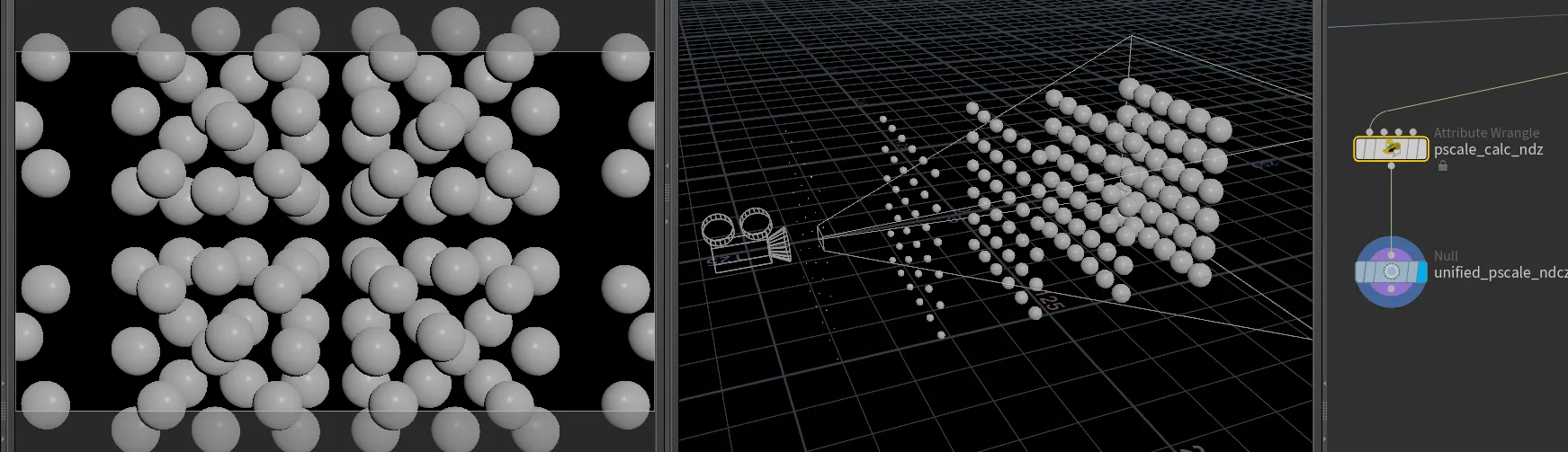
 sop-camera-pscale-1.hipnc