Introduction
With Copernicus, a refreshed COPnet in Houdini 20.5, OpenCL knowledge is becoming more and more useful for everyday artists.
Getting Started
When we create a new OpenCL node inside a COP network, we are presented with pre-defined helper code and some setup options under the Signature tab:
#bind layer src? val=0
#bind layer !&dst

@KERNEL
{
    @dst.set(@src);
}
Let's start with the Signature tab first.
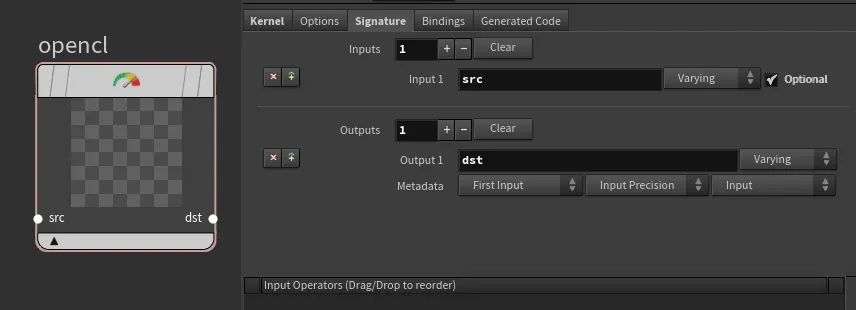
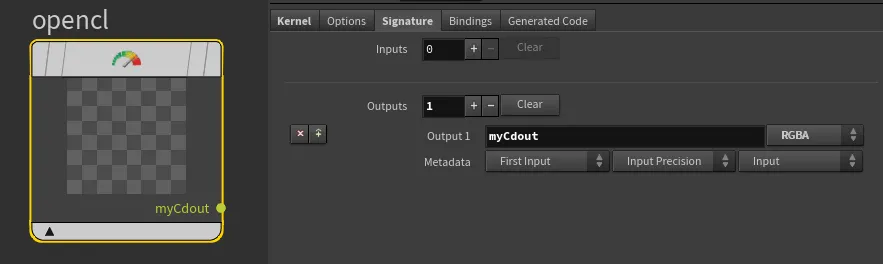
The first lines with #bind are here to specify the input/output for the code.
#bind layer src? val=0This tells us that we are expecting a src layer which is optional (?) and its default value is 0 unless specified by the input. Since we have removed the src input under the Signature tab, we should also remove it from the code.#bind layer !&dst: This tells us that we are expecting a dst layer which is required (!) and it is bound as an output buffer or a writable layer (&`). Since we have renamed the output from dst to myCdout, let's reflect that as well.
The @KERNEL block is the main function where our logic goes:
@dst.set(@src); - This means that the values from the src layer are copied to the dst layer. You can read about other attribute binding methods here
Since we have renamed dst to myCdout and removed src, we should update our code accordingly:
#bind layer !&myCdout

@KERNEL
{
    @myCdout.set();
}
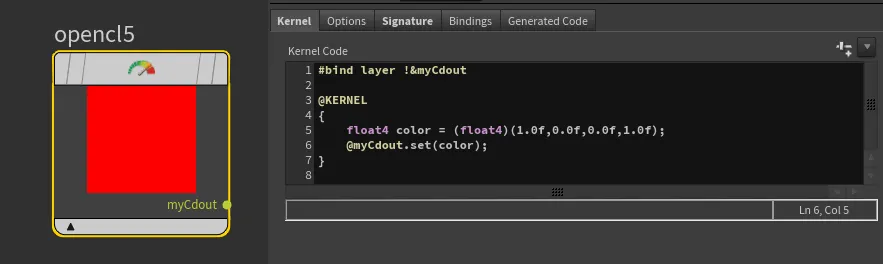
At this moment, our code will still fail because we are not binding anything to the output myCdout yet. So let's define some output. We can start with a simple color red (1.0, 0.0, 0.0, 1.0).
Unlike VEX, we cannot specify a new attribute type as vector. OpenCL uses a slightly different type notation OpenCL types.
The equivalent of vector in OpenCL is float3, but in our case, we want to output RGBA, so we will use float4 to include the fourth (alpha) component.
In VEX, we would write:
vector4 color = set(1.0, 0.0, 0.0, 1.0);
In OpenCL, the equivalent would be:
float4 color = (float4)(1.0f,0.0f,0.0f,1.0f);
Our last step is to pass the newly created color attribute to the myCdout output binding:
#bind layer !&myCdout

@KERNEL
{
    float4 color = (float4)(1.0f,0.0f,0.0f,1.0f);
    @myCdout.set(color);
}
And done! We have created a red color in OpenCL!