
Fabric patterns
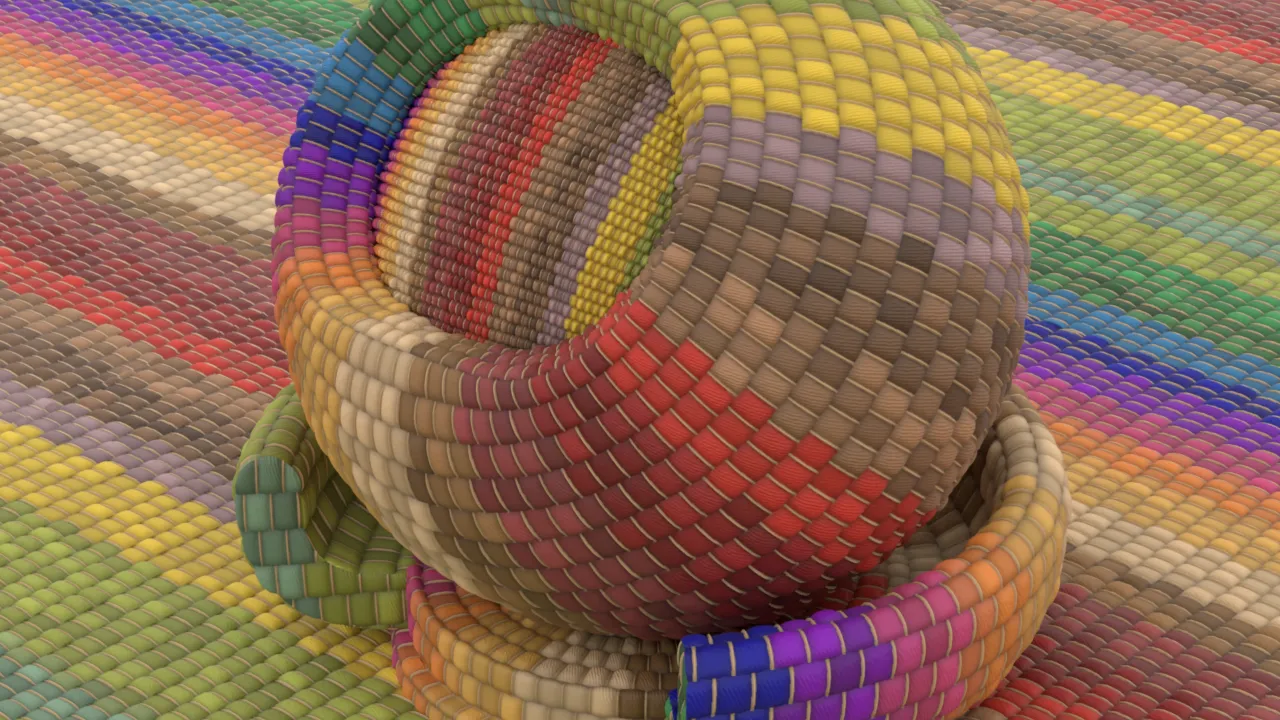
With the refreshed COP network we can do more than just 2D fancy patterns, we can actually utilize them as a procedural textures!. One example to consider is procedural fabric. Due to the complexity of detail, artists quite often 'bake' 3D pattern into texture, which then is applied on a 3D model. Here is just an example where we could utilize power of COP network and fully generate complex pattern which then could be linked into Karma/MaterialX shaders.
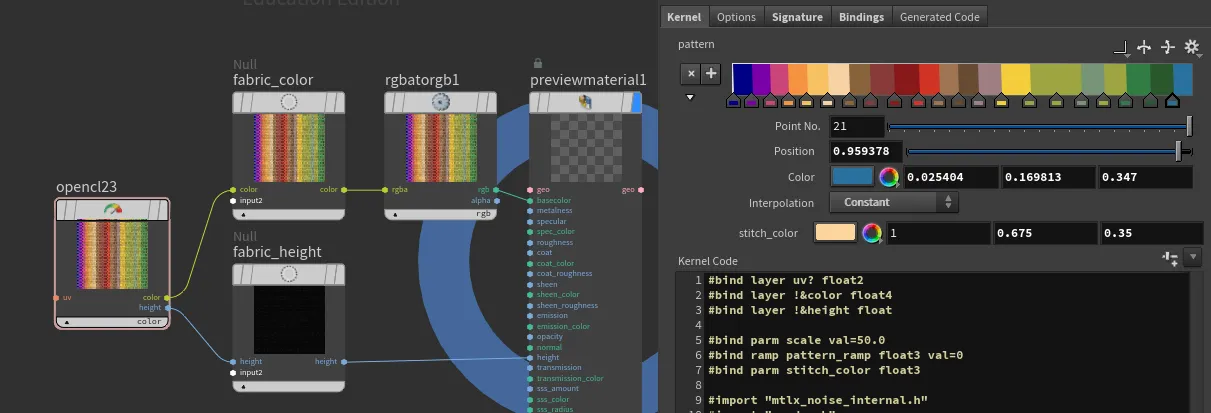

OpenCL
#bind layer uv? float2
#bind layer !&color float4
#bind layer !&height float

#bind parm scale val=50.0
#bind ramp pattern_ramp float3 val=0
#bind parm stitch_color float3

#import "mtlx_noise_internal.h"
#import "random.h"

float pingpong(float x, float scale) {
    x = x / scale;
    return scale * (1.0f - fabs(fmod(x, 2.0f) - 1.0f));
}

float snap(float x, float increment) {
    return increment * floor(x / increment);
}

float s_curve(float x, float k, float x0) {
    return 1.0f / (1.0f + exp(-k * (x - x0)));
}

float lighten(float a, float b, float factor) {
    return mix(a, max(a, b), factor);
}

float2 rand2(float2 uv, float factor) {
    float2 randValues = VEXrand_2_2(uv.x, uv.y);
    return mix((float2)(1.0f, 1.0f), randValues, factor);
}

float wave(float2 uv, float scale, float phase, float rotation, float distortion, float roughness) {
    float rad = -radians(rotation);
    float u = uv.x * cos(rad) - uv.y * sin(rad);
    float v = uv.x * sin(rad) + uv.y * cos(rad);
    float noiseValue = mx_perlin_noise_float_2((float2)(u, v)*(roughness*10), (int2)(0, 0)) * distortion*.01;
    float wave = (sin((u + noiseValue) * 20 * scale + phase)+1)/2;
    return wave;
}

float4 adjust_value(float4 color, float value_adjustment) {
    float value = fmax(color.r, fmax(color.g, color.b));
    float new_value = clamp(value + value_adjustment, 0.0f, 1.0f);
    float scale = (value > 0.0f) ? (new_value / value) : 0.0f;
    float3 adjusted_rgb = color.rgb * scale;
    adjusted_rgb = clamp(adjusted_rgb, 0.0f, 1.0f);
    return (float4)(adjusted_rgb, color.a);
}

float2 perlin(float2 uv, float turbulence, float2 offset, float phase, float amplitude, float roughness) {
    uv += offset;
    float noiseValue = mx_perlin_noise_float_2(uv * (roughness * 10) + phase, (int2)(0, 0)) * amplitude;
    float turbulenceValue = noiseValue * turbulence;
    uv += (float2)(turbulenceValue, turbulenceValue);
    return uv;
}

@KERNEL
{
    // Bind the UV coordinates
    float2 uv = @uv;
    if(!@uv.bound){
        // Convert @P from range [-1, 1] to [0, 1]
        uv = (@P + 1.0f) * 0.5f;
    }
    uv = mix(perlin(@uv, 2, (float2)(0.1f, 0.1f), .5, .05, .6), uv, .95);
    uv *= @scale;
    float2 dscale = (float2)(3.0f, 1.0f);
    uv *= dscale;

    // Calculate xrows and xstripe
    float xrows = fmod(uv.y, 2) > 1 ? 1 : 0;
    float xstripe = pingpong(uv.y, 0.5) * 2;
    float ystripe = pingpong(xrows + uv.x, 1);
    float stitch = 1 - (fmin(0.1f, ystripe) / 0.1f);

    // Calculate patches and texture color
    float2 patches = ((float2)(snap(xrows + uv.x, 2), floor(uv.y)) / dscale) / @scale;
    float4 tex = (float4)(@pattern_ramp(patches.x), 1.0f);
    float4 stitch_color = (float4)(@stitch_color, 1.0f);

    // Mix texture color with stitch color based on stitch value
    float4 cout = mix(tex, stitch_color, stitch > 0 ? 1 : 0);

    // Compute the wave pattern with distortion
    // Define parameters
    float scale = 1.9;
    float phase = 1;
    float rotation = 45.0f; // Rotation in degrees
    float distortion = 4; // Distortion factor
    float roughness = .5; // Distortion factor
    float outwave = wave(uv, scale, rand2(patches,1).y*10, rotation, distortion, roughness)*0.1;

    // height
    float k = 6.0f; // Steepness of the S-curve
    float x0 = 0.2f; // Midpoint of the S-curve
    float hx = s_curve(ystripe, k, x0);
    float hy = s_curve(xstripe, k, 0.1);
    hx*=hy;
    hx *= 1-outwave;
    float stitch_shape = s_curve(stitch*.6, 4, 0.2)*s_curve(xstripe, k, 0.2);
    hx = lighten(hx* rand2(patches,.6).x , stitch_shape, .6);

    cout = adjust_value(cout, 1-rand2(patches+34,0.25).x);
    cout *= pow((float4)(hx, hx, hx, 1), .5);
    hx *= (0.3 / @scale);

    @color.set(cout);
    @height.set(hx);
}
Download:  fabric-pattern-1.hipnc
fabric-pattern-1.hipnc