
Swirly patterns
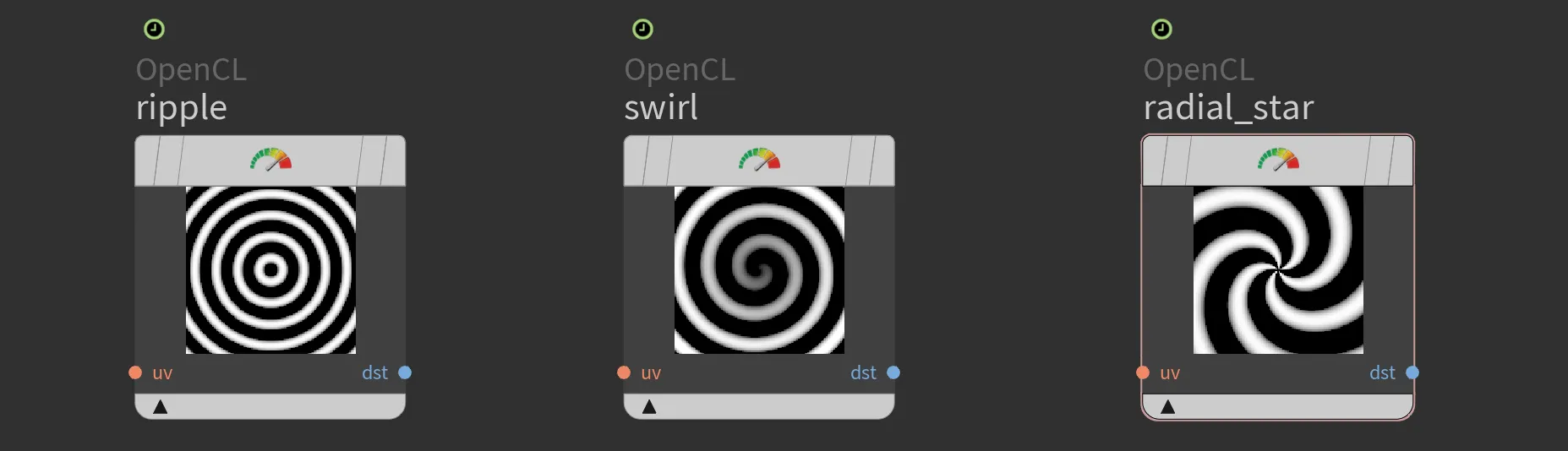
Radial ripple
To achieve the radial ripple effect, we calculate the sine of the distance from the centroid. The default domain is from -1 to 1. To add artistic control, we can introduce period and phase parameters. These can be promoted and linked to expressions like $T for animation.
OpenCL
#bind layer uv? float2
#bind layer !&dst

#bind parm amplitude float
#bind parm period float
#bind parm phaze float

@KERNEL
{
    float2 uv = @uv;
    if(!@uv.bound){
        uv = @P;
    }

    float4 C = @amplitude * sin(length(uv)/@period+@phaze);
    @dst.set(C);
}
Swirl
The swirl pattern is created by calculating the radius and angle for each point, then modifying the angle based on the radius. This creates a spiral effect, with the swirl strength controlled by the period and phase parameters.
OpenCL
#bind layer uv? float2
#bind layer !&dst

#bind parm amplitude float
#bind parm phase float
#bind parm period float

@KERNEL
{
    float2 uv = @uv;
    if(!@uv.bound){
        uv = @P;
    }

    // Calculate the radius and angle
    float radius = length(@P);
    float angle = atan2(uv.y, uv.x);

    // Create a swirl effect by modifying the angle based on the radius
    angle += @phase + @period * radius;

    // Convert back to Cartesian coordinates
    float out = (radius * cos(angle)) * @amplitude;

    @dst.set(out);
}Radial star
The radial star pattern uses sine waves based on both the distance from the center and the angle around the center. By varying these parameters, we create a star-like pattern that can animate over time.
OpenCL
#bind layer uv? float2
#bind layer !&dst

#bind parm time float

@KERNEL
{
    float2 uv = @uv;
    if(!@uv.bound){
        uv = @P;
    }

    float distance = length(@P);
    float angle = atan2(uv.y, uv.x);

    float star = sin(10.0 * distance - 5.0 * angle + @time);

    @dst.set(star);
}You can grab file with those examples,
Download:  swirly-patterns-1.hipnc
swirly-patterns-1.hipnc