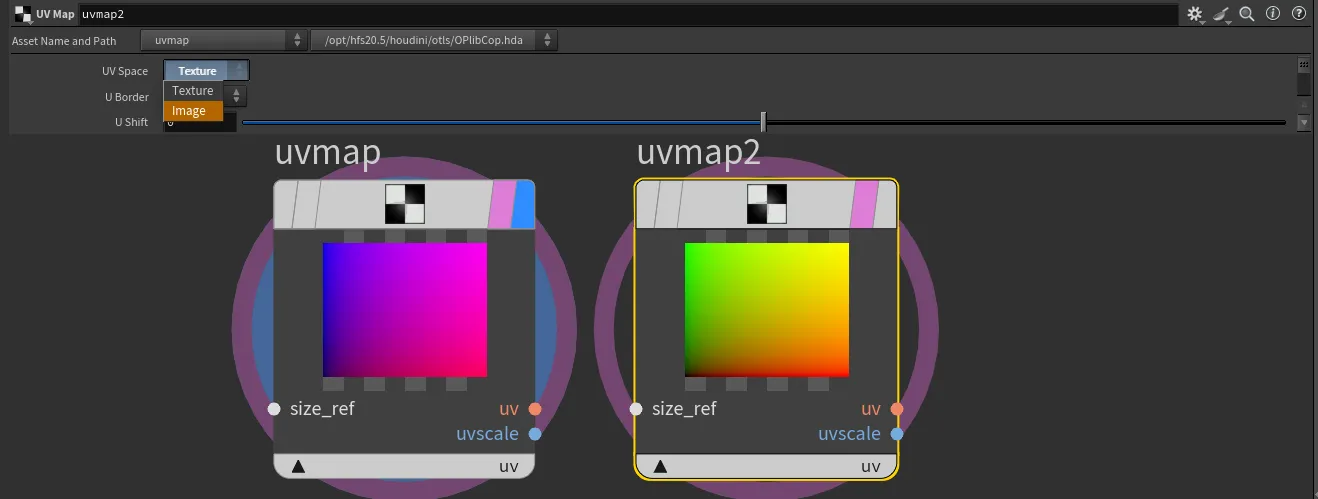
Understanding Spaces in Copernicus
When working with COPs, the default image space ranges from -1 to 1, preserving the pixel aspect ratio. You may also encounter texture space, which ranges from 0 to 1 across the data window and buffer space, useful for mapping textures. Here's a breakdown of the spaces used in Copernicus:
- Buffer Space: Represents the data layout in memory.
- Pixel Space: A canonical pixel-sized area used for precise image manipulation.
- Texture Space: Maps from 0 to 1 across the data window and buffer space, which can result in distorted pixels.
- Image Space: Ranges from -1 to 1 across the display window, preserving the pixel aspect ratio and providing a consistent working area.
- World Space: A 3D location in modeling space. Most users will primarily work within image and texture spaces when using Copernicus nodes, as these spaces are crucial for node operations and visualizations.
Additional Insights
When importing geometry from SOPs and rasterizing it, you might notice that UVs are in the -1 to 1 domain. This is because the positions are being rasterized instead of the actual UVs. The system swaps UV and P (position) for rasterization. If UV mapping is needed, it can be achieved using a UV map, which already has a created correspondence.